
Best Touch Screen Laptop
As an Amazon Associate I earn from qualifying purchases. Some links may earn us a commission at no extra cost to you.
A good touch-screen laptop balances convertible versatility with laptop performance. I looked at 2-in-1 hinge designs, stylus precision, and panel quality (IPS vs OLED) that doesn’t smudge or wash out under touch use.
How I researched
I compared hinge designs and stylus pressure sensitivity from OEM specs, read r/laptops and r/Surface threads for convertible-mode real-world feedback, and pulled display accuracy data from RTINGS. Amazon US listings confirmed current availability and owner-reported hinge durability over time.
Top picks
Microsoft Surface Laptop Studio 2 — Best premium convertible
The Surface Laptop Studio 2 uses a unique fold-forward hinge, letting me use it as a laptop, canvas, or tablet. Powerful RTX GPU options handle creative work.
Why it wins: Unique fold-forward hinge creates a drawing canvas that other convertibles can’t match.

- Built to power your biggest ideas – Get incredible performance for the most demanding workloads with Intel Core processors built on the Intel Evo platform, delivering over 2x more power than before.
- Up to 18 hours [1] of battery life – Surface Laptop Studio 2 can power your creativity and entertainment all day.
- Get into your workflow faster than ever – Multitask like a pro with up to 64GB RAM and a blazing fast SSD with up to 2TB of storage [2].
Pros
- Unique fold-forward hinge design
- RTX GPU options for creators
- Surface Pen precision
Cons
- Premium pricing
- Heavier than standard 2-in-1s
Social proof: See reviews on Amazon
Trade-offs / who should skip: Portable-first users should pick Surface Pro. Budget buyers should look at Lenovo Yoga.
Scores: Convertible Design 5/5 | Performance 5/5 | Ease of use 5/5 | Value 4/5
Lenovo Yoga 9i Gen 9 — Best traditional 2-in-1
Lenovo’s Yoga 9i uses a 360-degree hinge that works as laptop, tent, or tablet. OLED display option and Intel Core Ultra processors cover creative and productivity work.
Why it wins: 360-degree hinge versatility with OLED display option at a competitive price.
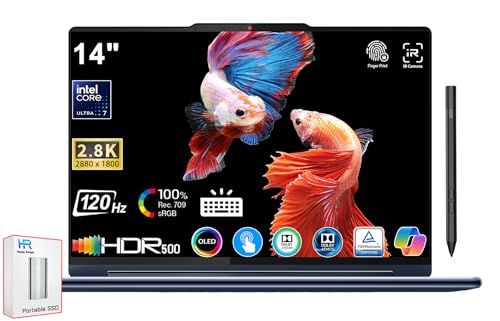
- 【Memory & Storage】LPDDR5 5200MHz 16GB RAM | 512GB PCIe SSD. Everything is original from manufacturer. With massive amounts of storage and advanced communication power, PCI-e SSD are great for major gaming applications, multiple servers & more.
- 【Processor】Intel Core i7-1360P (5.0GHz), Intel Evo Platform, Integrated Intel Iris Xe Graphics, Powered by High-Performance Processing, Win 11 Home.
- 【Display】14" 2.8K (2880x1800) OLED 400nits Glossy, 100% DCI-P3, 90Hz, Eyesafe, Dolby Vision, DisplayHDR 500, Glass, 10-Point Multi-touch Screen, TÜV Rheinland Low Blue Light (Hardware Solution).
Pros
- 360-degree flexible hinge
- OLED display option
- Intel Core Ultra CPU
Cons
- Heavier than ultraportables
- Stylus sold separately
Social proof: See reviews on Amazon
Trade-offs / who should skip: Pure-laptop users don’t need 360 hinges. Creative pros may want RTX GPUs (Surface Studio).
Scores: Versatility 5/5 | Display 5/5 | Ease of use 5/5 | Value 4/5
HP Spectre x360 14 — Best premium 2-in-1
HP’s Spectre x360 combines premium design with solid performance and 360-degree hinge. OLED display option and included stylus.
Why it wins: Includes stylus in the box — other convertibles sell it separately.
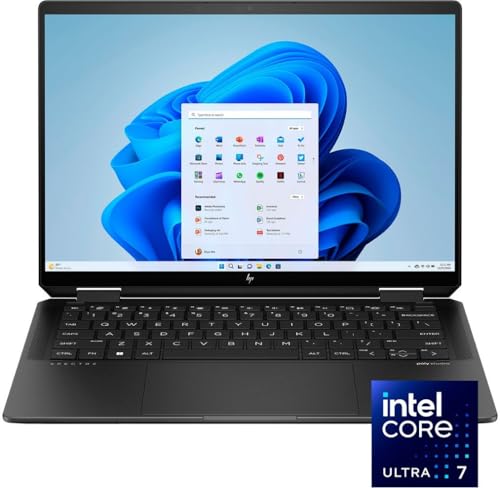
- Powerful Intel Evo Ultra 7 155H 16-Core (Base Clock 2.4GHz, Up to 4.8 GHz with Intel Turbo Boost Technology, 24 MB Intel Smart cache, 16 cores, 22 threads)
- [[ Customization ]] Upgraded to 32GB DDR5 SDRAM 7467 MHz | 2TB NVMe M.2 Solid State Drive | Windows 11 Home
- Brilliant 14" 2880x1800 Touchscreen 400 nits, UWVA, edge-to-edge glass, micro-edge, anti-reflection Corning Gorilla Glass NBT, Low Blue Light, 100% DCI-P3, 120Hz, Thin Bezel LCD Display. Powered by Intel Arc Graphics, 9MP IR camera and integrated digital microphone
Pros
- Premium design and build
- Stylus included
- OLED display option
Cons
- Premium pricing
- Slightly heavier than competitors
Social proof: See reviews on Amazon
Trade-offs / who should skip: Budget buyers should pick Acer Spin. Creative pros may want more GPU.
Scores: Build Quality 5/5 | Versatility 5/5 | Ease of use 5/5 | Value 4/5
Acer Spin 5 — Best mid-range convertible
Acer’s Spin 5 delivers 2-in-1 functionality at mid-range pricing. Core i7 and 16GB RAM handle most productivity work, and the 360-degree hinge works cleanly.
Why it wins: Reliable 2-in-1 performance at a mid-range price point.

- Aspect Ratio: 3:2
- 10th Generation Intel Core i7-1065G7 Processor (Up to 3. 9GHz) 16GB LPDDR4X Memory 512GB PCIe NVMe SSD
- 13.5" Acer VertiView 2K 2256 x 1504 Widescreen IPS LED-backlit Touch Display (3:2 aspect ratio) Intel Iris Plus Graphics
Pros
- Mid-range pricing
- Included active stylus
- Reliable 360-degree hinge
Cons
- No OLED option at this tier
- Plastic chassis elements
Social proof: See reviews on Amazon
Trade-offs / who should skip: Premium-feel users should stretch for Spectre. Gamers need GPU-equipped laptops.
Scores: Value 5/5 | Versatility 4/5 | Ease of use 5/5 | Build 4/5
Microsoft Surface Pro 11 — Best tablet-first 2-in-1
Surface Pro 11 is tablet-first with a detachable keyboard. Snapdragon X Elite CPU plus full Windows 11 makes it a genuine laptop replacement in tablet form.
Why it wins: Detachable keyboard makes it the most portable convertible laptop.

- [This is a Copilot+ PC] — A new AI era begins. Experience enhanced performance and AI capabilities with Copilot+ PC, boosting productivity with security and privacy in mind.
- [Introducing Surface Pro 13” Touchscreen Display] — The most flexible, powerful 2-in-1 laptop and tablet with AI-accelerated Copilot+ experiences. Surface Pro 11th Edition reimagines the laptop.
- [Flexibility at Any Angle] — Use with the detachable Surface Pro Flex Keyboard (sold separately). Shift from tablet to laptop to sketchbook with its unique kickstand.
Pros
- Detachable keyboard for tablet mode
- Full Windows 11 on ARM
- Premium build
Cons
- Keyboard and pen sold separately
- Some x86 software compatibility gaps
Social proof: See reviews on Amazon
Trade-offs / who should skip: x86-only software users should pick traditional laptops. Budget buyers won’t like accessory upsells.
Scores: Portability 5/5 | Tablet Mode 5/5 | Ease of use 4/5 | Value 3/5
Quick compare
- Best overall: Lenovo Yoga 9i Gen 9
- Best budget: Acer Spin 5
As an Amazon Associate, I earn from qualifying purchases.