
Good Storage Devices for Everyday Needs
As an Amazon Associate, I earn from qualifying purchases. Some links may earn us a commission at no extra cost to you.
External storage can serve very different jobs, from fast project transfers to large backups, console storage, and shared home files. SSDs generally emphasize transfer speed and portability, while portable HDDs and network storage make more sense when capacity or shared access matters more.
These seven picks cover different storage needs rather than treating one drive type as universally better.
Top 7 Picks
1. Corsair EX400U 2TB — High-Speed USB4 Portable SSD
The Corsair EX400U is a 2TB portable SSD built around USB4 connectivity. Its supplied listing states read speeds up to 4,000 MB/s and write speeds up to 3,600 MB/s, along with USB 3.2 Gen 2×2 and Thunderbolt 4 compatibility.
The listing also includes a 40Gbps cable and mentions Windows, Mac, iOS, and MagSafe use.
Why consider it: Its USB4 interface and high listed transfer speeds make it suited to users regularly moving large files.

- External SSD with USB4 Connection: Leverage the incredibly high bandwidth of USB4 to move large...
- Lightning-Fast Speeds: Delivers data speeds of up to 4,000MB/sec sequential read and up to...
- Compatible with USB Type-C: Connect via USB Type-C, Thunderbolt 4 and higher for wide...
Pros
- Up to 4,000 MB/s listed read speed
- Up to 3,600 MB/s listed write speed
- 2TB capacity
- USB4 and Thunderbolt 4 support
- 40Gbps cable included
Cons
- Requires compatible hardware to take advantage of its highest speeds
- More performance than basic backup users need
Trade-offs / Who should skip: If large-file transfer speed is not important, a slower portable SSD or high-capacity HDD can provide a simpler fit.
2. Crucial X10 4TB — High-Capacity Fast Portable SSD
The Crucial X10 combines a 4TB capacity with listed transfer speeds up to 2,100 MB/s. It connects over USB-C and is listed as compatible with Windows, Mac, and Android devices.
Its larger capacity gives it a useful role for photo collections, games, project files, and other storage-heavy workloads where a smaller SSD can fill quickly.
Why consider it: It balances a comparatively large 4TB SSD capacity with transfer speeds up to 2,100 MB/s.
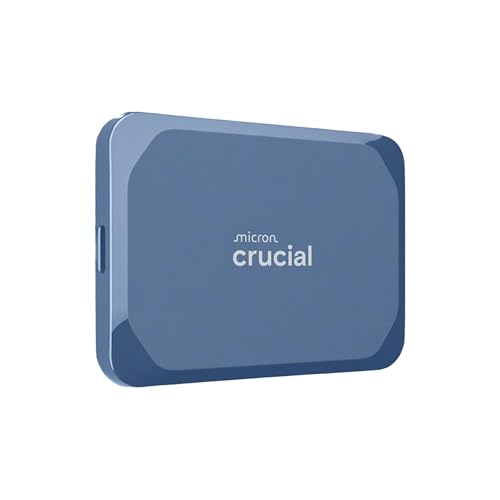
- Ultra-fast Speeds: Designed for creators, students and PC gamers, this matte blue external SSD...
- Built to Last: Perfect for travel and all types of weather with IP65 dust and water resistance...
- Broad Compatibility: External drive connects effortlessly with Windows, Mac, iPad Pro, Chromebooks...
Pros
- 4TB capacity
- Up to 2,100 MB/s listed speed
- USB-C connectivity
- Windows compatibility
- Mac and Android compatibility
Cons
- Larger-capacity SSDs can be unnecessary for lighter storage needs
- Requires USB-C connectivity or an appropriate adapter
Trade-offs / Who should skip: Choose a smaller SSD if portability and occasional transfers matter more than maintaining several terabytes of fast external storage.
3. SanDisk Extreme Portable SSD for PS5 2TB — Console-Oriented External SSD
This SanDisk Extreme model provides 2TB of external SSD storage and is officially licensed for PlayStation 5 according to the supplied listing. It is also listed for PC use and supports read speeds up to 1,050 MB/s.
Its role is more specific than a general backup drive: it is designed around users who want portable external storage associated with a PS5 and PC setup.
Why consider it: The official PS5 licensing gives it a clear console-storage role within the lineup.

- Designed, tested, and approved for PlayStation consoles so gamers can jump into the PlayStation...
- With enhanced speeds up to 1000MB/s(1) quickly transfer games from external SSD archive to your...
- Expand your space for the size of the newest and greatest PlayStation 5 titles, allowing you to...

Pros
- 2TB capacity
- Up to 1,050 MB/s listed read speed
- Officially licensed for PlayStation 5
- Also listed for PC use
- Portable SSD format
Cons
- Console-focused branding may add little for users who only need PC backups
- Not as fast on paper as the Corsair EX400U or Crucial X10
Trade-offs / Who should skip: PC and Mac users without a console may find a more general-purpose SSD easier to justify.
4. SSK 1TB Dual USB-C/USB-A SSD — Compact Phone and Computer Storage
The SSK 1TB drive uses a thumb-drive-style SSD format with both USB-C and USB-A connectors. Its listing states speeds up to 1,000 MB/s and OTG support, along with compatibility aimed at recent iPhones and Android phones.
The listing also references 4K60 ProRes HDR use, making it particularly relevant to users who want storage that can connect directly to mobile devices without carrying a separate cable.
Why consider it: Dual USB-C and USB-A connectors make it particularly flexible across phones and traditional computers.

- Dual USB C and A flash Drive: Equipped with an USB-C port and USB-A 3.2 port,SSK Dual USB C flash...
- Ultra Fast Transfer Speed: SSK USB 3.2 Gen 2 Solid State Flash Drive up to 1000mb/s read and write...
- Plug and Play Pendrive: SSK ultra dual usb drive supports plug and play, without any software...
Pros
- 1TB capacity
- Up to 1,000 MB/s listed speed
- USB-C and USB-A connectors
- OTG support
- Designed for phone and computer use
- Compact zinc-alloy format
Cons
- Thumb-drive form factor may be easier to misplace than a larger portable SSD
- Highest speeds depend on the connected device and interface
Trade-offs / Who should skip: Choose a conventional cable-connected SSD if you prefer a larger enclosure or need more than 1TB.
5. UnionSine 5TB Ultra Slim Portable HDD — Large-Capacity Portable Archive
The UnionSine portable HDD provides 5TB of storage in an ultra-slim external hard-drive format. Its supplied listing specifies USB 3.0 and compatibility with PC, Mac, laptops, PS4, Xbox One, and Xbox 360.
It fills the bulk-storage role in the roundup, where raw capacity matters more than SSD-level transfer speeds.
Why consider it: The 5TB capacity offers substantial portable storage for archives, media libraries, and backups.

- 【Upgraded version】 - The mirror logo strip is combined with the striped non-slip design. The...
- 【Ultra-thin and quiet】 - The motherboard adopts JMicron 578 noise-free solution, giving you a...
- 【Ultra-Fast Data Transfers】 - The external Hard Drive is used in conjunction with USB 3.0 and...
Pros
- 5TB capacity
- Portable external HDD format
- USB 3.0
- Listed for PC and Mac
- Listed for multiple game consoles
Cons
- Mechanical HDD storage is slower than portable SSDs
- Moving parts make HDDs less suited to frequent impacts or rough handling
Trade-offs / Who should skip: Choose an SSD if you regularly transfer large working files or carry the drive in situations where shock resistance is more important.
6. Maxone 1TB Ultra Slim Portable HDD — Simple Everyday USB Storage
The Maxone portable hard drive provides 1TB of storage in an ultra-slim USB 3.0 design. Its campaign listing specifically identifies compatibility with PCs and laptops.
This is a straightforward mechanical-drive option for routine file storage and backups when high SSD transfer speeds are not necessary.
Why consider it: Its simple 1TB USB 3.0 format suits basic everyday backup and file-storage duties.
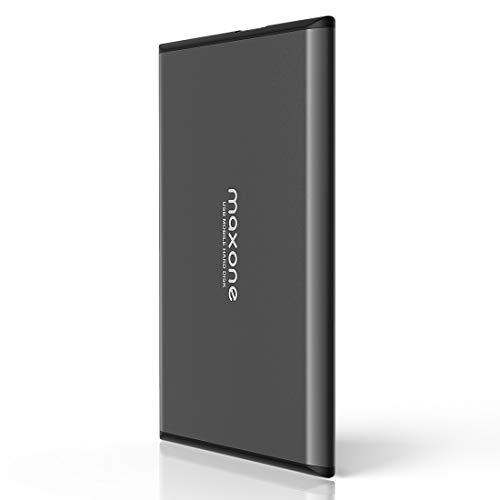
- Ultra Slim and Sturdy Metal Design: Merely 0.4 inch thick. All-Aluminum anti-scratch model delivers...
- Compatibility: It is compatible with Microsoft Windows 7/8/10, and provides fast and stable...
- Improve PC Performance: Powered by USB 3.0 technology, this USB hard drive is much faster than - but...
Pros
- 1TB capacity
- Ultra-slim portable design
- USB 3.0 connectivity
- Intended for PC and laptop use
- Straightforward external HDD format
Cons
- Slower than SSD-based alternatives
- Mechanical construction is less tolerant of drops than solid-state storage
Trade-offs / Who should skip: Frequent large-file transfers are better served by one of the SSDs in this lineup.
7. BUFFALO LinkStation 220 4TB — Home Network Storage
The BUFFALO LinkStation 220 is a 2-bay network-attached storage device with hard drives included and 4TB of listed storage. It is positioned as home-cloud and network storage rather than a drive that connects directly to one computer over USB.
That gives it a distinct role for households that want files available across multiple devices on the same network.
Why consider it: It provides shared network storage with the hard drives already included.
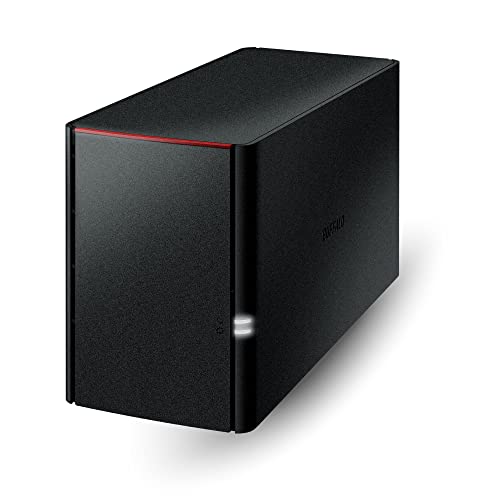
- Value NAS with RAID for centralized storage and backup for all your devices. Check out the LS...
- Connect the LinkStation to your router and enjoy shared network storage for your devices. The NAS is...
- Subscription-Free Personal Cloud – Store, back up, and manage all your videos, music, and photos...
Pros
- 4TB listed capacity
- 2-bay NAS design
- Hard drives included
- Designed for network storage
- Positioned for home-cloud use
Cons
- Less portable than USB external drives
- Requires a network-based setup rather than simple plug-and-play USB use
- Not intended as a pocket-sized travel drive
Trade-offs / Who should skip: Choose a portable SSD or HDD if you mainly need to move files between locations. The LinkStation makes more sense when shared storage around the home is the priority.
Quick Compare
- High-speed USB4 transfers: Corsair EX400U 2TB
- Large-capacity fast SSD storage: Crucial X10 4TB
- PS5-oriented external SSD: SanDisk Extreme 2TB
- Dual USB-C/USB-A mobile SSD: SSK 1TB
- Large portable HDD archive: UnionSine 5TB
- Straightforward everyday HDD: Maxone 1TB
- Shared home network storage: BUFFALO LinkStation 220 4TB
Final Verdict
The SSDs in this group cover different performance and device needs. Corsair emphasizes USB4 transfer speed, Crucial combines higher capacity with fast USB-C storage, SanDisk targets PS5 users, and SSK offers direct USB-C and USB-A connectivity in a compact format.
For conventional portable backups, UnionSine provides a higher-capacity HDD while Maxone offers a simpler 1TB format. The BUFFALO LinkStation 220 takes a different approach entirely, providing network-attached storage for files that need to be shared across devices at home.
Choosing between them mainly comes down to required capacity, transfer speed, portability, device compatibility, and whether storage needs to stay attached to one device or be available over a network.
As an Amazon Associate, I earn from qualifying purchases.