
Android TV Boxes for Smooth 4K Streaming
As an Amazon Associate I earn from qualifying purchases. Some links may earn us a commission at no extra cost to you.
If you’re shopping Android TV boxes in 2026, what matters most isn’t “Android” — it’s certification + DRM (so Netflix/Disney+/Prime Video play in full quality) and enough performance to stay snappy for years.
Top picks
Raxxio MAG555 — Best Google TV box under $100
If you want a proper Google TV OS box with a voice remote and none of the “is this legit Android?” guesswork, this is the one I start with.
Why it wins: genuine Google TV OS, 4K HDR support, dual-band Wi-Fi, and a voice remote at a price most sticks can’t undercut by much.
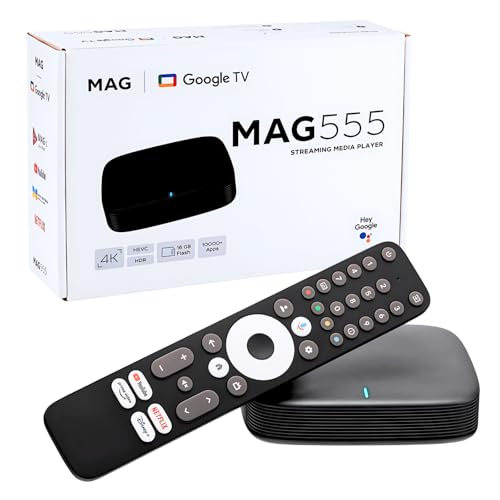
- Official Google TV Interface (Hardware Only): Runs on the official Google TV OS, providing a clean, intuitive home screen that organizes installed apps and recommendations in one place. Users may download apps from the Google Play Store. Content availability depends on user-installed third-party apps and valid subscriptions.
- Fast & Reliable Performance: Powered by the Amlogic S905Y4-B2 processor and 2GB RAM for smooth navigation, quick app loading, and media playback.
- 4K HDR & Dolby Audio Support: Supports up to 4K HDR playback at 60fps with Dolby Digital audio for sharp visuals and immersive sound when used with compatible apps and content.
Pros
- Runs the real Google TV OS interface
- 4K HDR playback with a voice-control remote
- Box form factor with more room than a stick
Cons
- Not a powerhouse for heavy multitasking or big Plex setups
- Smaller brand than Google or NVIDIA
Trade-offs / Who should skip: Skip if you run server-heavy libraries or want maximum long-term headroom — this is a streamer-first box, not an enthusiast hub.
Scores: Performance 4/5 • Certified Streaming/DRM 4/5 • Ease of Use 4/5 • Value 4/5
KICKPI KP2 Android TV Stick — Best Google-certified stick
This is the simplest “plug it in behind the TV and stream” pick — a Google-certified Android TV 12 stick with the Amlogic S905Y4 chip.
Why it wins: official certification means Netflix, Disney+, and Prime Video play properly, in a dongle that disappears behind a wall-mounted TV.
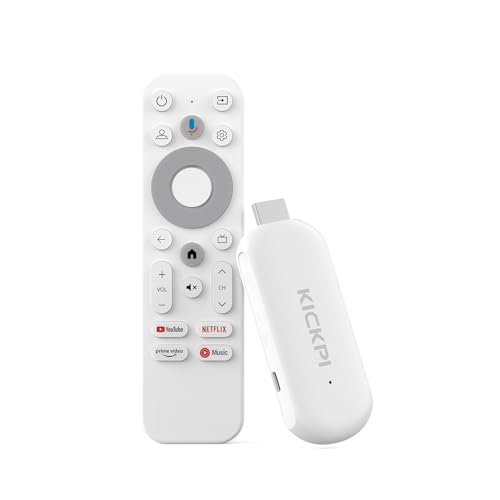
- 【Google Certified Streaming Experience】Enjoy a reliable 4K streaming experience with the Google-certified KICKPI KP2 TV Stick. Access popular entertainment platforms such as Netflix, YouTube, Prime Video, and Disney+ for movies, shows, music, and more.
- 【Built-in Chromecast for Easy Casting】 Cast videos, photos, music, and compatible apps from your smartphone, tablet, or laptop directly to your TV. Enjoy your favorite content on the big screen with a simple and seamless casting experience.
- 【5000+Apps Via Google Play】Explore more than 5,000 apps through Google Play, covering streaming, entertainment, music, productivity, lifestyle, and more. Customize your TV experience with the content and apps you enjoy.
Pros
- Google-certified with proper DRM support
- 4K HDR and Dolby Audio in a compact stick
- Chromecast built in with Google Assistant
Cons
- 2GB/8GB is tight for large app libraries
- No Ethernet or USB expansion without adapters
Trade-offs / Who should skip: Skip if you need Ethernet/USB out of the box, run lots of large apps, or want “one box to rule them all.”
Scores: Performance 3/5 • Certified Streaming/DRM 5/5 • Ease of Use 5/5 • Value 4/5
KICKPI KP1 — Best-reviewed budget Google-certified box
If you prefer a small set-top box instead of a dongle, the KP1 is the same Google-certified Android TV 12 platform as the KP2 in a box shape — and it has the strongest owner track record in this class.
Why it wins: certification, Dolby Audio, built-in Chromecast, and the most real-world reviews of any budget box here.
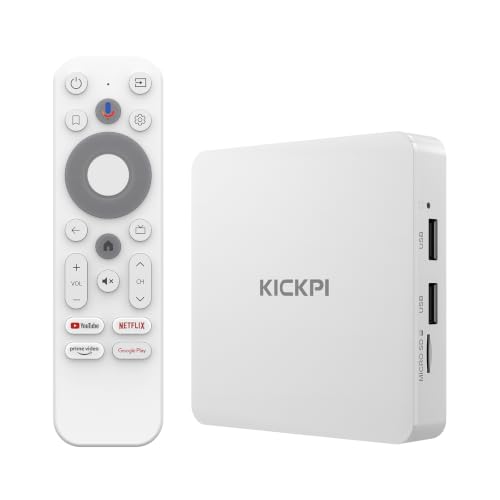
- 【Google Certified · 700,000+ Movies & Shows】Access over 700,000 movies and shows across Netflix, Prime Video, Disney+, Apple TV+, YouTube, Hulu, Google Play and more in stunning 4K HDR.
- 【Powerful Quad-Core Performance】 Powered by the Amlogic S905Y4 Quad-Core Cortex-A35 CPU, KICKPI KP1 delivers smooth and responsive performance for streaming and everyday entertainment.
- 【Voice Remote with Google Assistant】Search, stream, and control with your voice. Press the mic button to instantly find movies, get personalized recommendations, control compatible smart home devices, and more. Get instant results, fast, easy and hands-free.
Pros
- Google-certified with proper Netflix/DRM support
- Small box form factor (easier cable management than some sticks)
- Solid owner feedback for a budget streamer
Cons
- 2GB/16GB limits heavy multitasking
- No USB 3.0 or gigabit-class connectivity
Trade-offs / Who should skip: Skip if you’re sensitive to slowdowns in big app libraries, or you want the strongest long-term “premium” support.
Scores: Performance 3/5 • Certified Streaming/DRM 5/5 • Ease of Use 4/5 • Value 5/5
LEFFOT H313 — Best for “more ports” on a budget
At around $35, this Android 14 box packs connectivity that sticks can’t match: 100M Ethernet, USB 3.0, Wi-Fi 6, and Bluetooth 5.4.
Why it wins: wired networking plus fast USB at a rock-bottom price, ideal for buffering-free streams and local media playback.
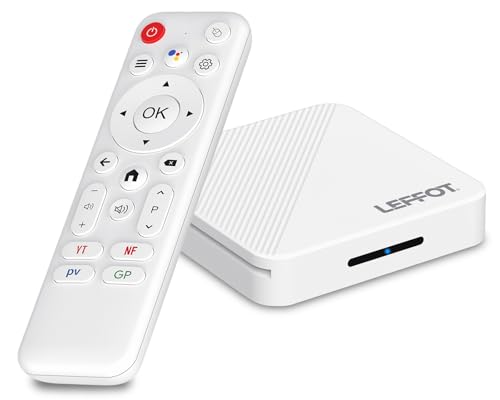
- Budget-friendly Home TV streaming media player: This Android TV box 2026 delivers exceptional value as a 4K streaming device for TV, perfect for family video watching, casual gaming, and more.
- Android 14 Experience: Running the Android 14.0 TV box system, this 4K TV streaming device offers improved performance and compatibility with popular TV streaming Apps.
- 4K Ultra HD Vision at Home: Enjoy stunning 4K@60fps playback with HDR10 support on this TV streamer, decoding H.265/HEVC, H.264 and AVS2 formats, to bring high-quality visuals to your favorite movies and shows.
Pros
- Ethernet, USB 3.0, and Wi-Fi 6 at a very low price
- Android 14 with voice remote support
- Great for local media and IPTV-style use
Cons
- Not Google-certified — expect DRM limits on some paid apps
- 2GB/16GB and a quad-core A53 keep expectations modest
Trade-offs / Who should skip: Skip if you’re buying specifically for Netflix/DRM-critical apps in full quality — pick a certified device above instead.
Scores: Performance 3/5 • Certified Streaming/DRM 2/5 • Ease of Use 4/5 • Value 5/5
LEFFOT M2 Plus — Best step-up specs on a budget
If you want more headroom than entry boxes without leaving budget territory, the M2 Plus doubles the memory: 4GB RAM and 32GB storage on Android 14, with Wi-Fi 6 and Bluetooth 5.4.
Why it wins: the extra RAM keeps app switching smoother and the storage fits a bigger app library than 8–16GB boxes allow.
No products found.
Pros
- 4GB/32GB is generous at this price
- Android 14 with Wi-Fi 6 and voice remote
- Box form factor suits TV stands and AV setups
Cons
- Not Google-certified — DRM-critical apps may be limited
- Very limited owner feedback so far
Trade-offs / Who should skip: Skip if you want the simplest mainstream certified choice — the KICKPI picks above are safer for Netflix-first households.
Scores: Performance 4/5 • Certified Streaming/DRM 2/5 • Ease of Use 4/5 • Value 4/5
WiMiUS G2 Google TV Projector — Best big-screen alternative to a box
Not a box at all — but if the end goal is streaming on a big screen, this projector runs official Google TV 14 natively, so it replaces the TV and the streamer in one device.
Why it wins: real 1100 ANSI lumens, 4K support, MEMC, HDR10, 30W Dolby audio, Wi-Fi 6, and the same certified Google TV experience as a dedicated streamer.

- [Official Google TV 14.0 & Gemini AI - All-in-One Projector for Movies, Sports & Live TV] Enjoy a seamlessly smart TV interface powered by the latest Google TV 14.0 system and MT9660 processor with 2+32GB storage for smooth performance. Stream Netflix, YouTube, Prime Video, Disney+, Hulu, Peacock, ESPN, Fox Sports and more—no TV stick required. With Google Gemini AI personalized recommendations, Google Voice Control, and 800+ live TV channels, it works as a true integrated entertainment center for all your viewing needs.
- [Real ISO 1100 ANSI & 4K Support - Authentic Cinematic Clarity] Delivering true 1100 ANSI brightness, G2 provides vivid, reliable visuals that outperform many “3000 ANSI” claims on the market. With Native 1080P resolution, 4K decoding, HDR10, and 99% wide color gamut support, it produces sharper contrast and richer colors in both dark rooms and daytime environments with curtains drawn. Perfect for 120”+ big-screen viewing in living rooms or backyard outdoor movie nights. (Note: Videos labeled as 4K will display at a native resolution of 1080P, standardly termed '4K supported'.)
- [Pro MEMC Motion Smoothing - Built for Sports & Fast Action] Experience ultra-smooth motion with advanced MEMC technology, reducing blur and stutter in fast-moving scenes. Whether you're watching football games, college sports, action movies, or gaming on consoles, every frame stays fluid and clear. Designed for high-refresh viewing, it delivers a more immersive experience for live sports, playoff matchups, and fast-paced entertainment.
Pros
- Official Google TV 14 built in — no external box needed
- Bright 1100 ANSI image with MEMC and HDR10
- Strong owner ratings and auto-focus convenience
Cons
- A projector setup needs a dark room and wall or screen space
- Costs more than any box on this list
Trade-offs / Who should skip: Skip if you already own a TV you like — a box or stick above is far cheaper. This is for movie nights, backyard screenings, and renters who don’t want a TV at all.
Scores: Performance 4/5 • Certified Streaming/DRM 5/5 • Ease of Use 4/5 • Value 4/5
Quick compare (no table)
- Best Google TV box under $100: Raxxio MAG555
- Best certified stick: KICKPI KP2
- Best-reviewed budget box: KICKPI KP1
- Most ports for the money: LEFFOT H313
- Best step-up specs on a budget: LEFFOT M2 Plus
- Best big-screen alternative: WiMiUS G2 Google TV Projector
Buying guide: how to choose fast
1) Don’t buy “Android boxes” that aren’t certified.
If Netflix/Disney+/Prime matter, you want clear certification + proper DRM. If you can’t confirm, assume headaches (SD playback, missing apps, weird firmware).
2) Pick your form factor.
- Stick/dongle: cleaner behind wall-mounted TVs, usually fewer ports.
- Box: easier for Ethernet/peripherals, feels more “AV rack” friendly.
3) Decide how “power user” you are.
If you run Plex libraries, multitask heavily, or keep devices for years, the higher-performance pick is worth it.
4) Remote matters more than people admit.
Look for a remote you’ll actually like daily: quick volume control, sensible buttons, and reliable Bluetooth.
FAQs
Are Android TV boxes the same as Google TV?
Google TV is a newer interface layer that runs on Android TV underneath. In daily use, both are “Android TV ecosystem,” just with different home-screen style.
Will every Android TV box run Netflix in 4K?
No. Full-quality streaming depends on certification/DRM and the exact model/variant. If the listing is vague, I treat it as a red flag.
Do I need Ethernet?
Not always. If your Wi-Fi is strong, you can be fine. Ethernet helps if you stream high-bitrate content, live far from the router, or hate buffering.
Should I buy a “generic” Android box for cheap?
For Netflix-first households, stick to certified devices like the KICKPI picks above — uncertified boxes often hit DRM limits (SD-quality playback or missing apps). Uncertified budget boxes like the LEFFOT models are still a reasonable buy when the main use is YouTube, local media, or apps where DRM certification does not matter, as long as you go in knowing the trade-off.
As an Amazon Associate, I earn from qualifying purchases.